


ICSForge™ is an open-source OT/ICS security coverage validation platform designed to help defenders, SOC teams, and OT security engineers validate detection, visibility, and readiness against real-world industrial attack techniques.
ICSForge focuses on what can actually be observed on the network and generates realistic OT traffic and PCAPs in 9 industrial protocols (Modbus/TCP, DNP3, S7comm, IEC-104, OPC UA, EtherNet/IP, BACnet/IP, MQTT, PROFINET DCP) which are aligned with 72 out of 83 unique techniques in MITRE ATT&CK for ICS (v18) - without exploiting real systems or causing unsafe process impact - to help asset owners and defenders assessing the quality of existing security countermeasures such as firewalls, OT NSM sensors and ACLs and identifying hidden gaps.
ICSForge is developed with a safe-by-design approach, operating within a Sender-Receiver architecture and interacting only with the designated sender and receiver, without touching other OT devices.
Most ICS security tools promise coverage - ICSForge lets you prove it.
Key Numbers
| Metric | Value |
|---|---|
| Protocols | 9 industrial protocols (Modbus/TCP, DNP3, S7comm, IEC-104, OPC UA, EtherNet/IP, BACnet/IP, MQTT, PROFINET DCP) |
| Runnable Scenarios | 175 in the main scenario pack |
| ATT&CK for ICS Techniques Exercised | 72 unique ICS technique IDs across runnable scenarios |
| ATT&CK for ICS Matrix Coverage | 87% (72 out of 83 technique) |
| Detection Rules | Auto-generated Suricata + Sigma rules per scenario |
Architecture
┌──────────────────────┐                  ┌──────────────────────┐
│   ICSForge Sender    │  TCP/ UDP / L2   │  ICSForge Receiver   │
│                      │ ─>─>─>─>─>─>─>─> │                      │
│ • Scenario engine    │                  │ • Traffic sink       │
│ • 9 protocol builders│                  │ • Marker correlation │
│ • PCAP generation    │                  │ • Receipt logging    │
│ • Campaign playbooks │                  │ • Coverage matrix    │
│ • Web UI (:8080)     │                  │ • Web UI (:9090)     │
└──────────────────────┘                  └──────────────────────┘
           │                                          │
           ▼                                          ▼
     ┌───────────┐                            ┌──────────────┐
     │  ATT&CK   │                            │ Correlation  │
     │  Matrix   │                            │    & Gap     │
     │  Overlay  │                            │  Visibility  │
     └───────────┘                            └──────────────┘
On-wire correlation markers (ICSFORGE_SYNTH|run_id|technique|step) embedded in every packet enable end-to-end validation: if the receiver sees the marker, the traffic reached the wire. If your IDS fires, your detection works.
Quick Start
Install
git clone https://github.com/ICSforge/ICSforge.git
cd ICSforge
python3 -m venv .venv
source .venv/bin/activate
python -m pip install --upgrade pip
pip install -e .
chmod +x icsforge.sh
Web UI
sudo ./icsforge.sh web        				# Sender dashboard on :8080
sudo ./icsforge.sh receiver   				# Receiver dashboard on :9090
sudo ./icsforge.sh receiver --l2-iface eth0 # Receiver with Profinet Listener
Or with Docker
docker compose up
# Sender UI:   http://localhost:8080
# Receiver UI: http://localhost:9090
Authentication
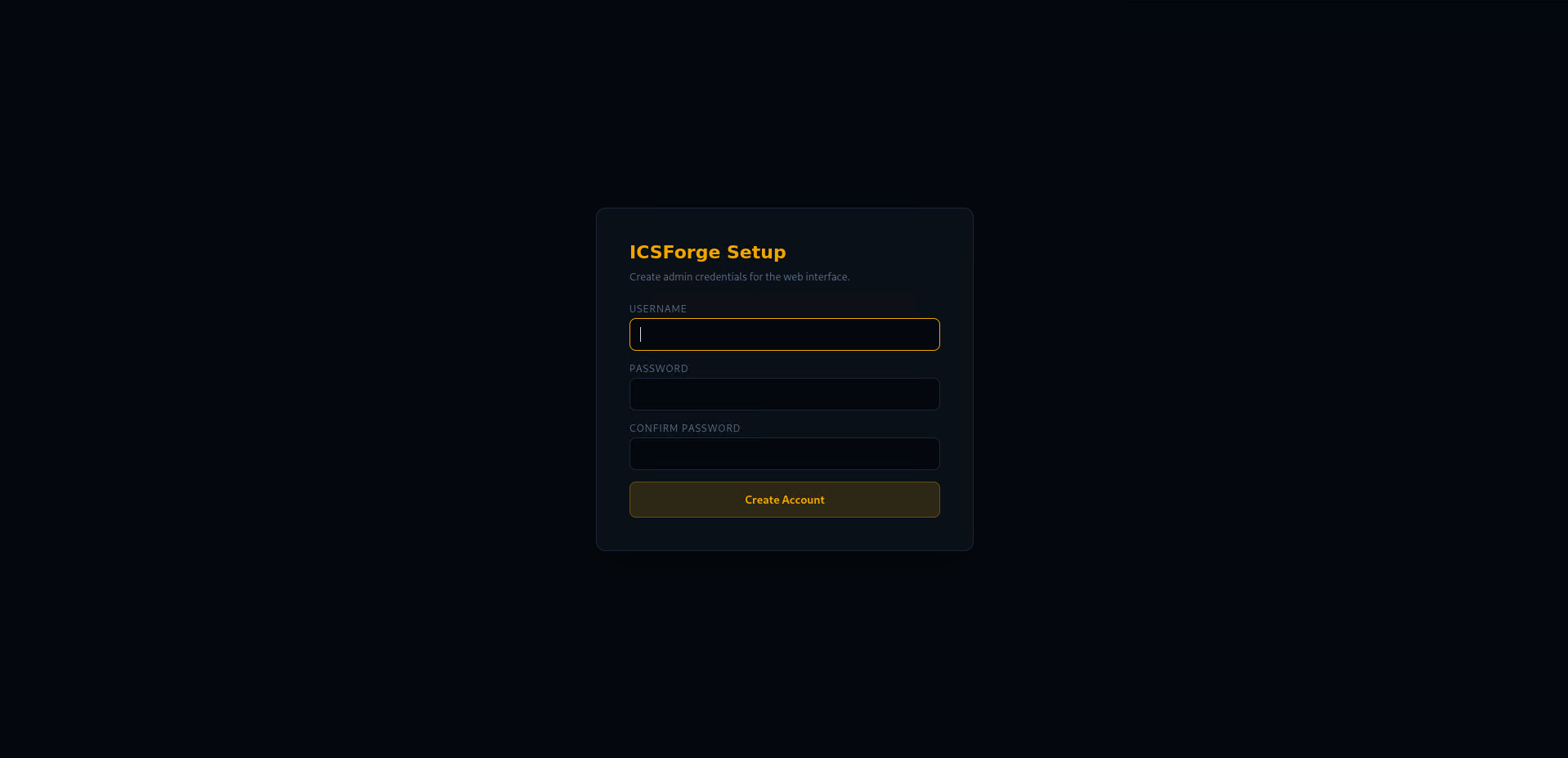
On first launch, ICSForge prompts you to create an admin account. All subsequent access requires login.
# Disable auth for local development
icsforge-web --no-auth

# Or via environment variable
ICSFORGE_NO_AUTH=1 icsforge-web
Credentials are stored in ~/.icsforge/credentials.json (SHA-256 + salt, file mode 0600).
The following endpoints are exempt from auth: /api/health (monitoring), /api/receiver/callback (receiver→sender), /api/config/set_callback (sender→receiver). When callback_token is configured, live receipts also require the X-ICSForge-Callback-Token header.
Live Receiver Callback
The receiver automatically notifies the sender when it receives ICSForge traffic, closing the loop in real time without manual file inspection.
- In the sender UI, set the Receiver IP (or via API:
POST /api/config/receiver_ip) - Optionally set an explicit Sender Callback URL and shared callback token
- The sender can push its callback URL to the receiver as a convenience path
- Or configure the callback directly on the receiver UI and use Test Callback to verify reachability
- When the receiver parses a marker, it POSTs the receipt back to the sender
- The sender UI shows live receipt confirmations as they arrive
# Or configure via CLI
icsforge-receiver --callback-url http://sender-ip:8080/api/receiver/callback
ICSForge can be run from command line interface as well;
Running from CLI: Generate a PCAP from CLI (offline)
icsforge generate --name T0855__unauth_command__modbus --outdir out/
# → out/pcaps/offline.pcap + out/events/offline.jsonl
Running from CLI: Send live traffic to receiver from CLI
# Terminal 1: start receiver
sudo icsforge-receiver --bind 127.0.0.1

# Terminal 2: send traffic
icsforge send --name T0855__unauth_command__modbus \
  --dst-ip 127.0.0.1 --confirm-live-network
What ICSForge Is Not
- Not an exploitation framework
- Not a PLC hacking tool
- Not a malware platform
- Not a process-impact simulator
ICSForge is defender-first, safe by design, and honest about limitations.
Protocol Coverage
| Protocol | Port | Styles | Key Techniques |
|---|---|---|---|
| Modbus/TCP | 502 | 29 | T0855, T0831, T0836, T0814, T0876 |
| DNP3 | 20000 | 22 | T0855, T0816, T0815, T0856, T0858 |
| S7comm | 102 | 36 | T0855, T0813, T0845, T0882, T0889 |
| IEC-104 | 2404 | 17 | T0855, T0831, T0836, T0849, T0878 |
| OPC UA | 4840 | 16 | T0855, T0861, T0822, T0859, T0879 |
| EtherNet/IP | 44818 | 15 | T0840, T0888, T0816, T0875, T0882 |
| BACnet/IP | 47808 (UDP) | 16 | T0840, T0855, T0816, T0813, T0882 |
| MQTT | 1883 | 17 | T0855, T0801, T0812, T0836, T0843 |
| PROFINET DCP | L2 | 8 | T0840, T0842, T0849 |
Scenarios
- Defined in
icsforge/scenarios/scenarios.yml - Consistent naming:
T08XX__technique__protocol__variant - Honest distinction between runnable and non-runnable techniques
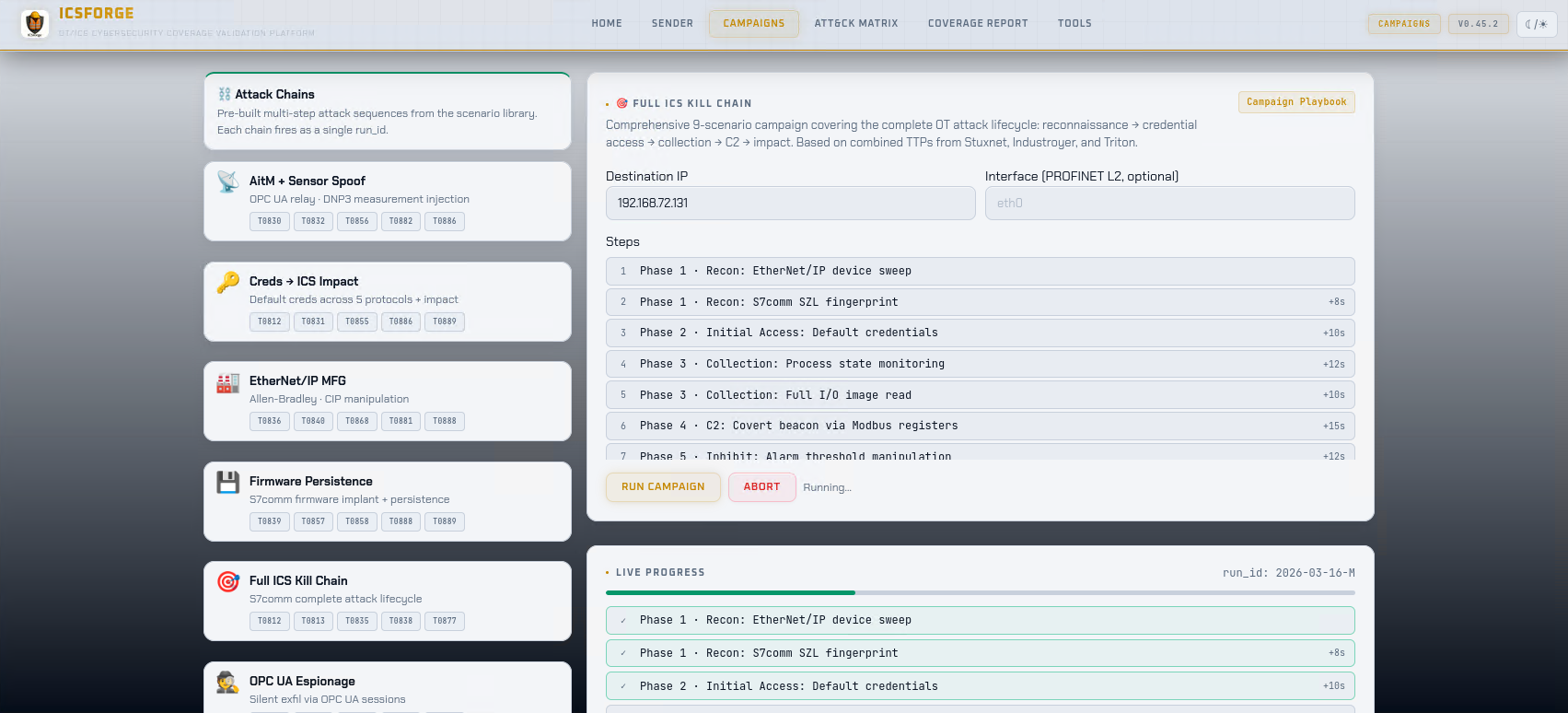
- Campaign playbooks for multi-step attack sequences
Detection Content
ICSForge auto-generates detection rules from its scenario catalog:
# Via Web UI: Tools → Generate Detection Rules
# Preview: GET /api/detections/preview
# Download: GET /api/detections/download
Output formats: Suricata rules (.rules) and Sigma rules (.yml)
Development
pip install -e ".[dev]"
pytest                          # run tests
pytest --cov=icsforge           # with coverage
ruff check icsforge/ tests/     # lint
See CONTRIBUTING.md for the full guide.
Screenshots
Authentication Setup
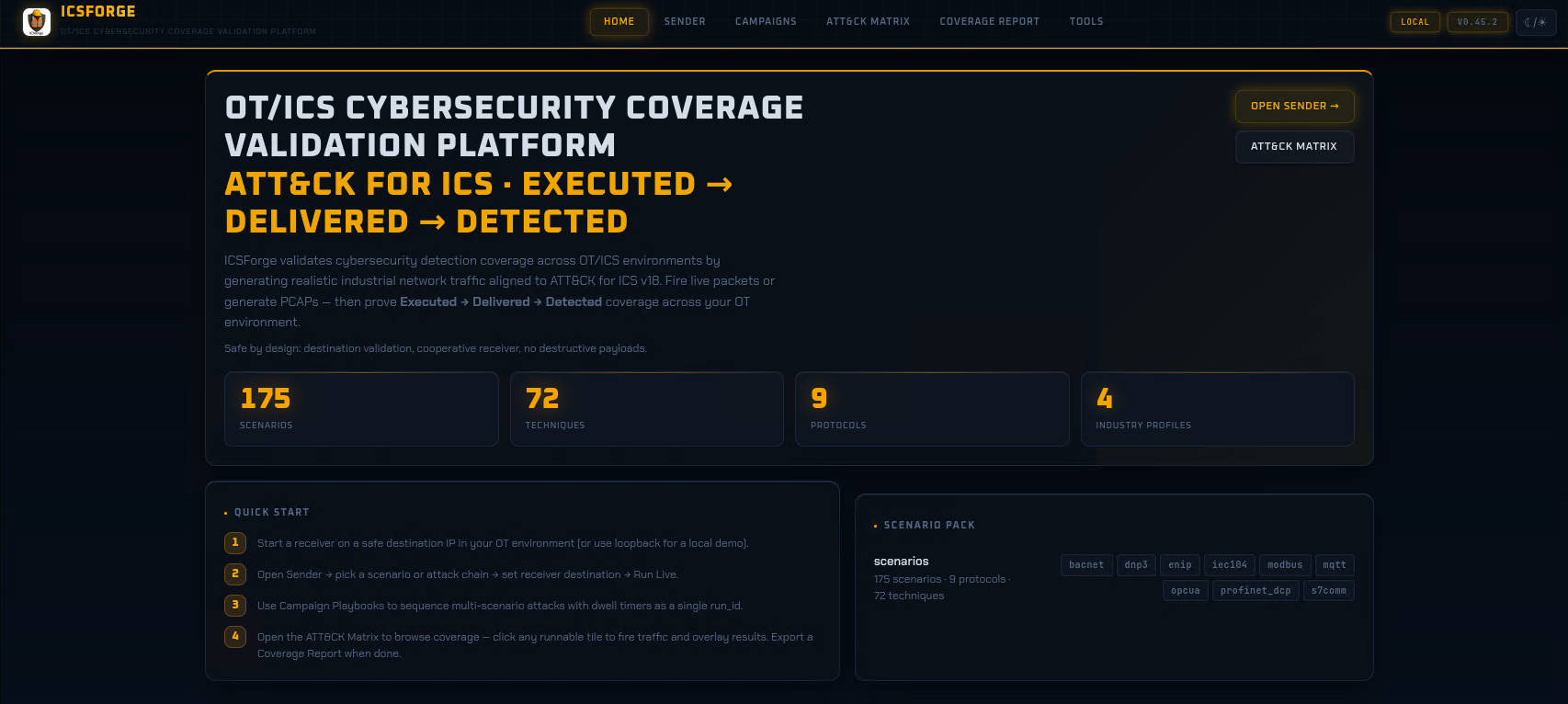
Sender Landing Page - Dark Theme
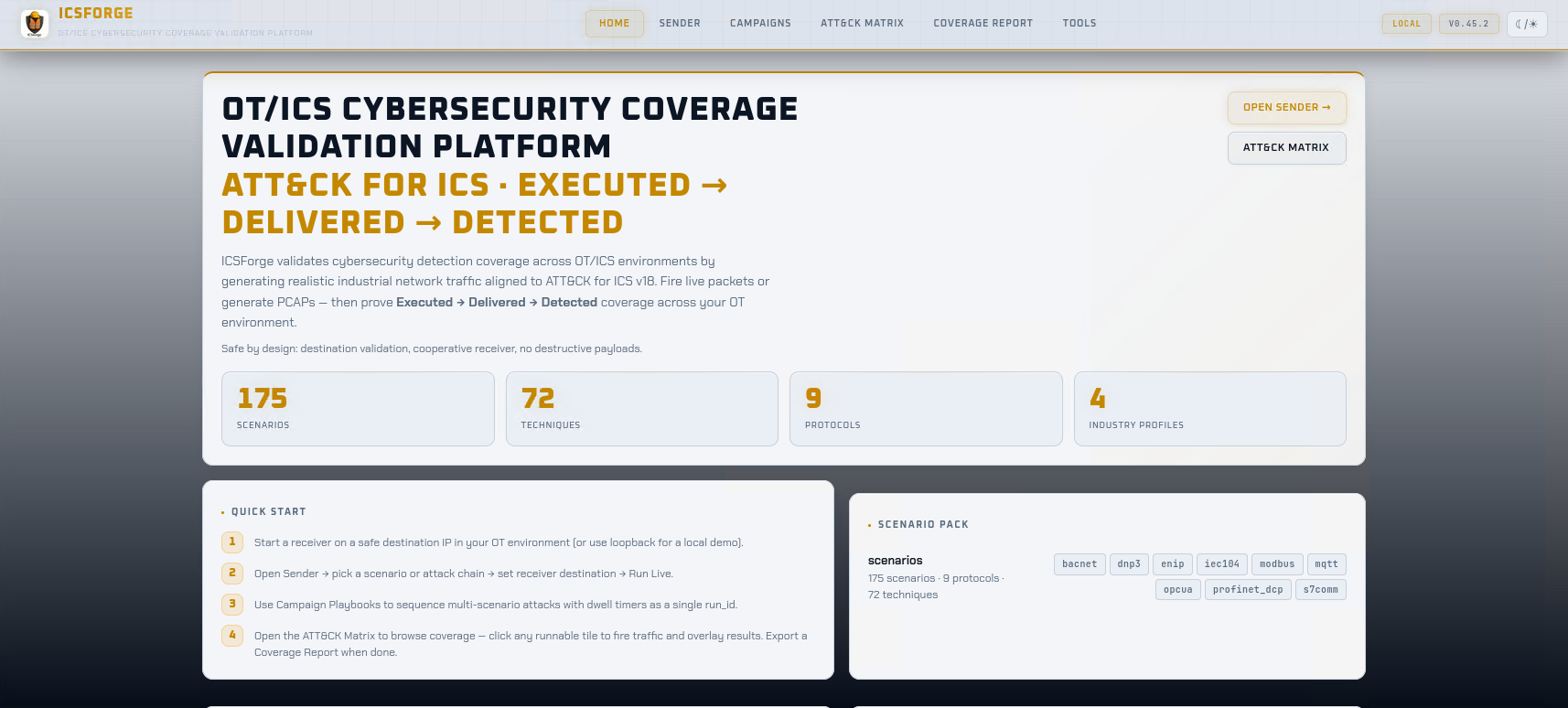
Sender Landing Page - Light Theme
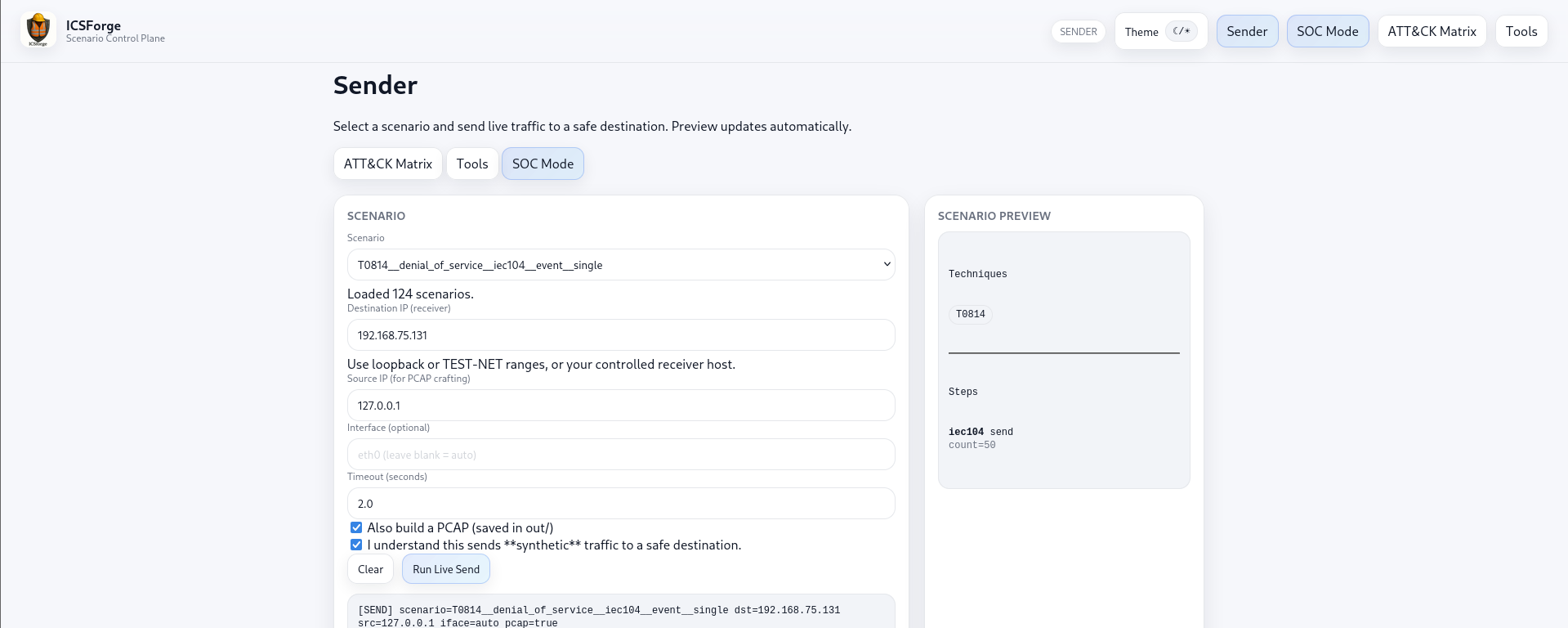
Sender Dashboard
Campaigns Dashboard
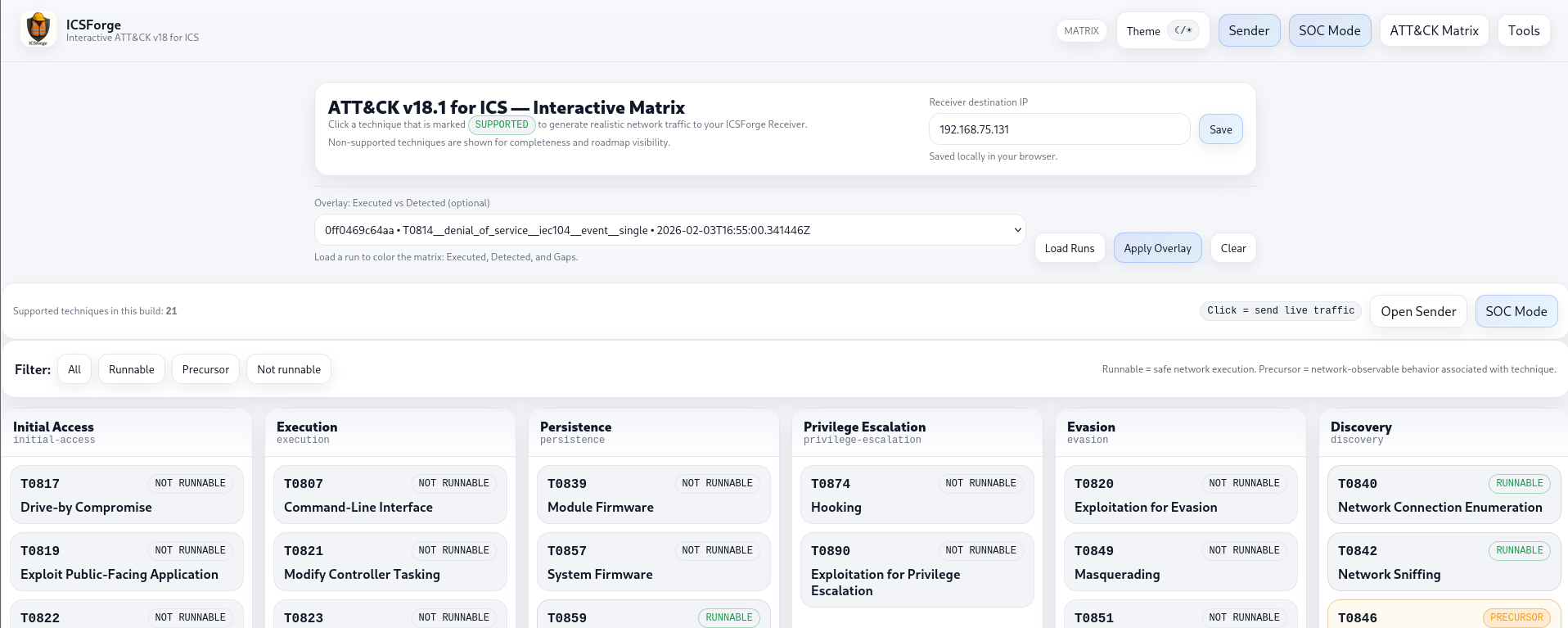
ATT&CK for ICS Matrix
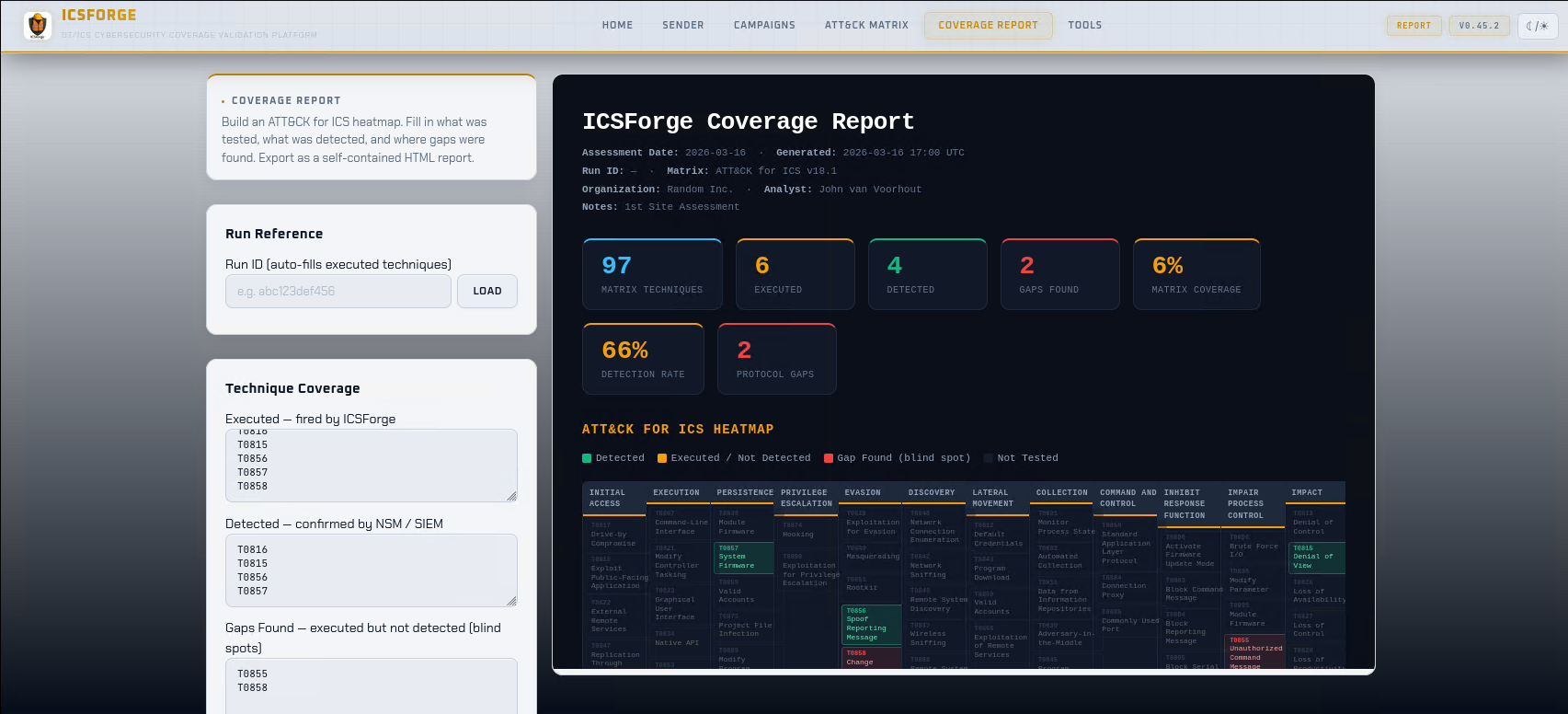
Coverage Report
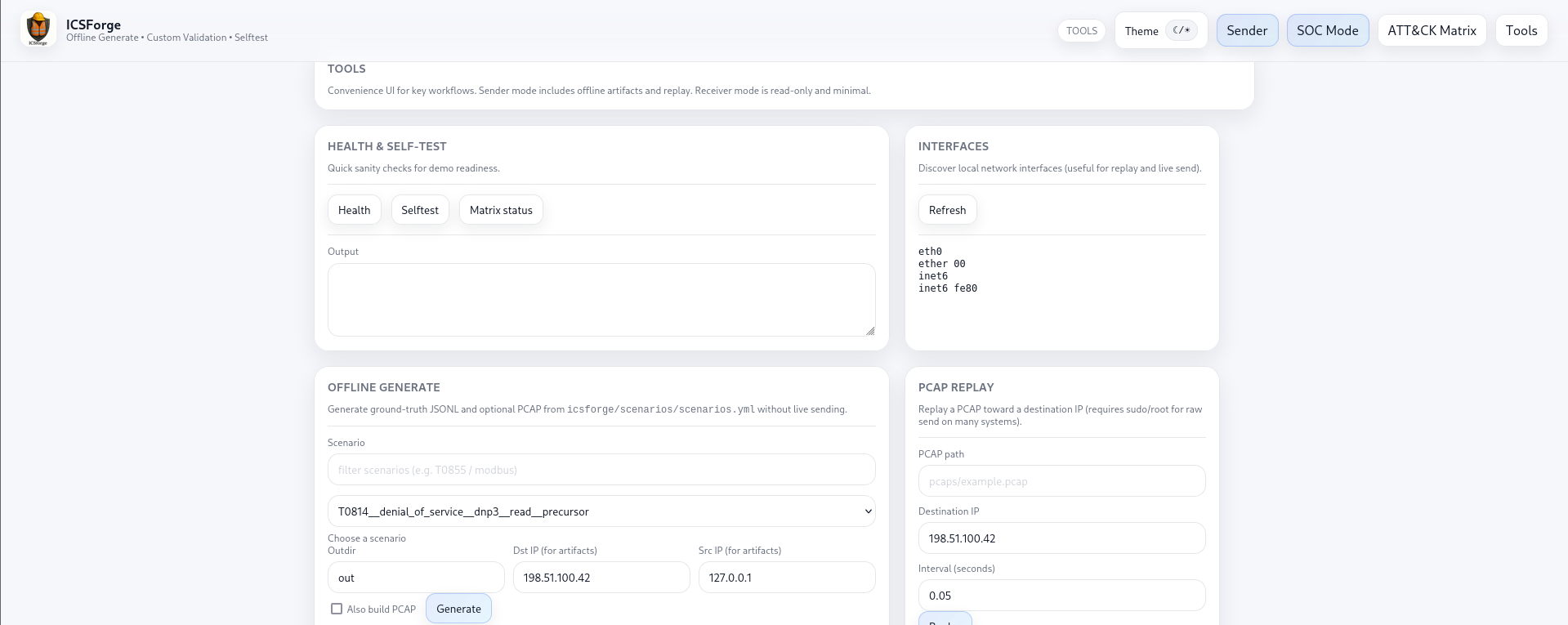
Tools for Offline Generation and PCAP Replay
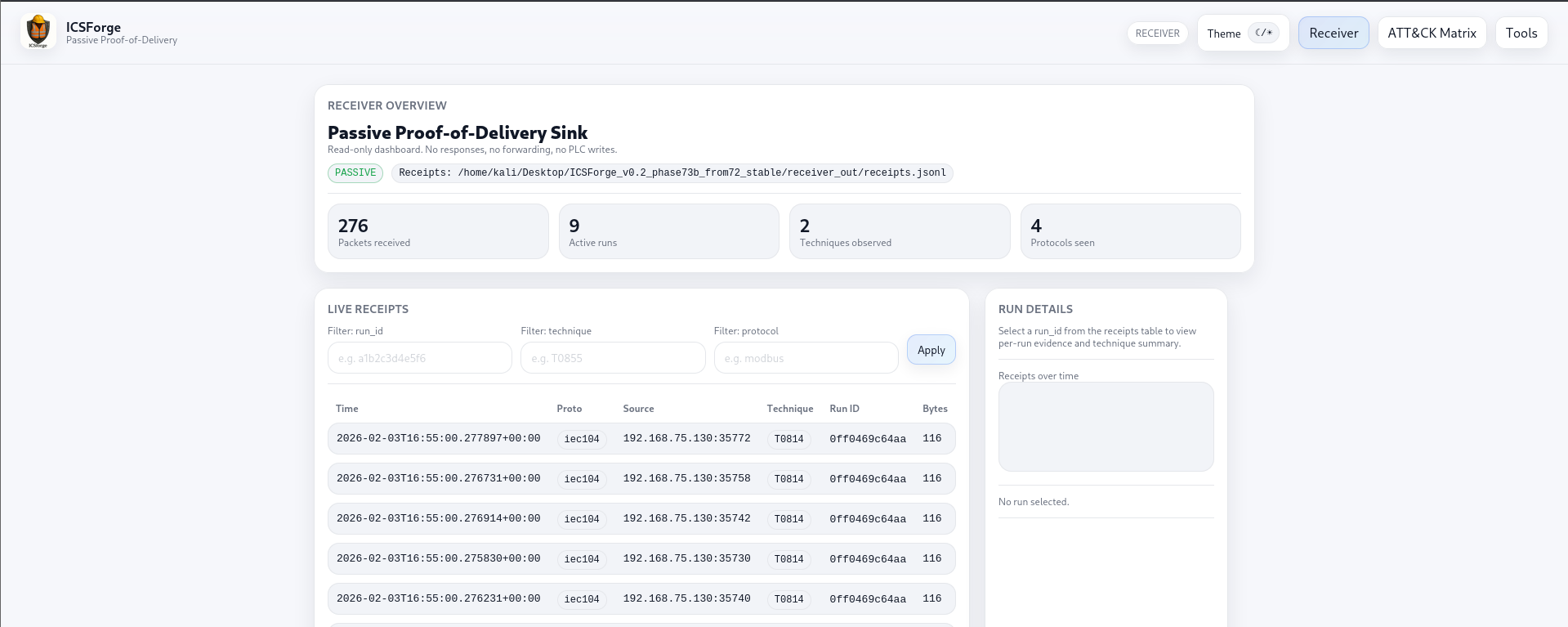
Receiver - Live Traffic View
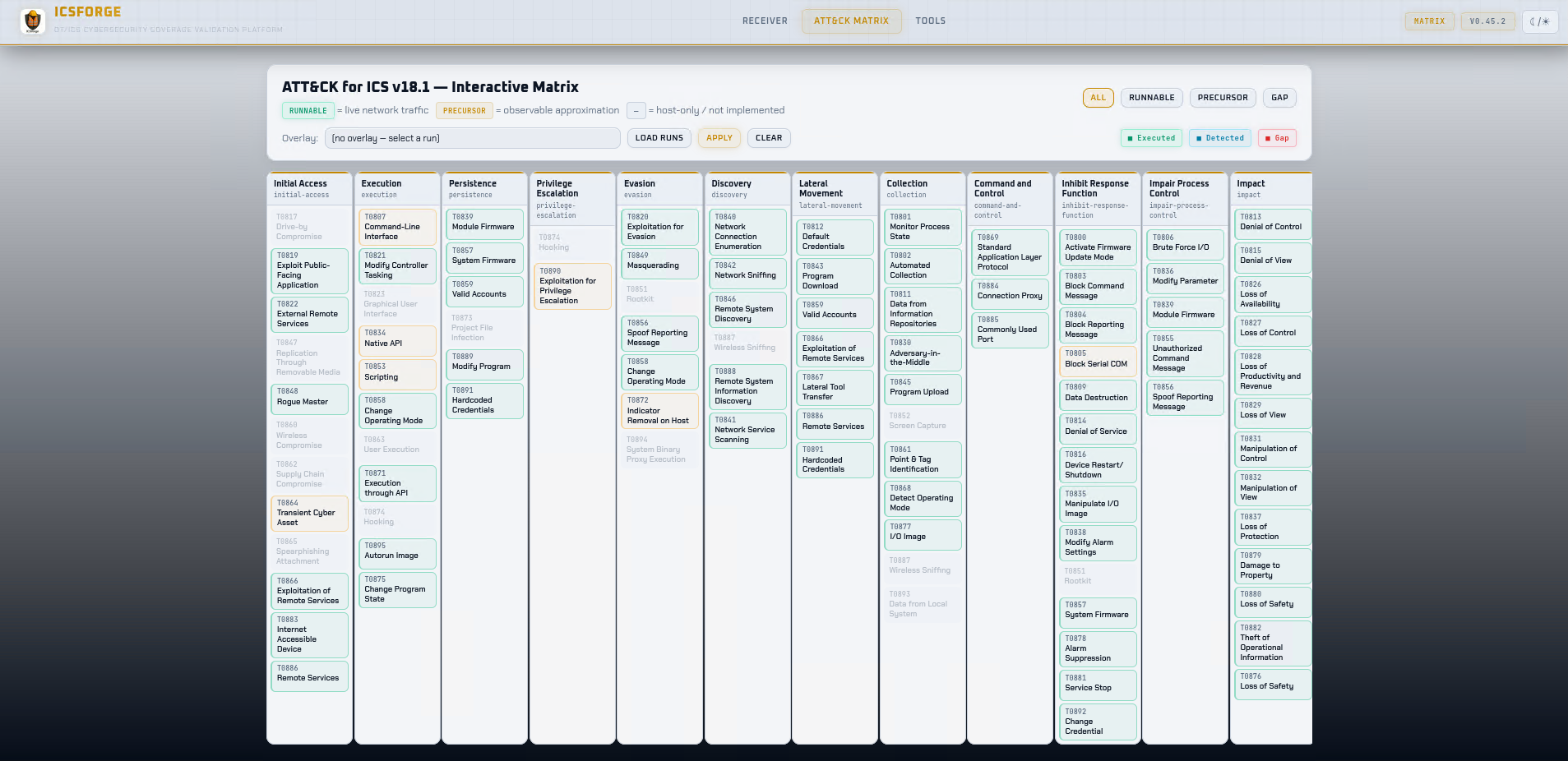
Receiver - ATT&CK for ICS Matrix - Light Theme
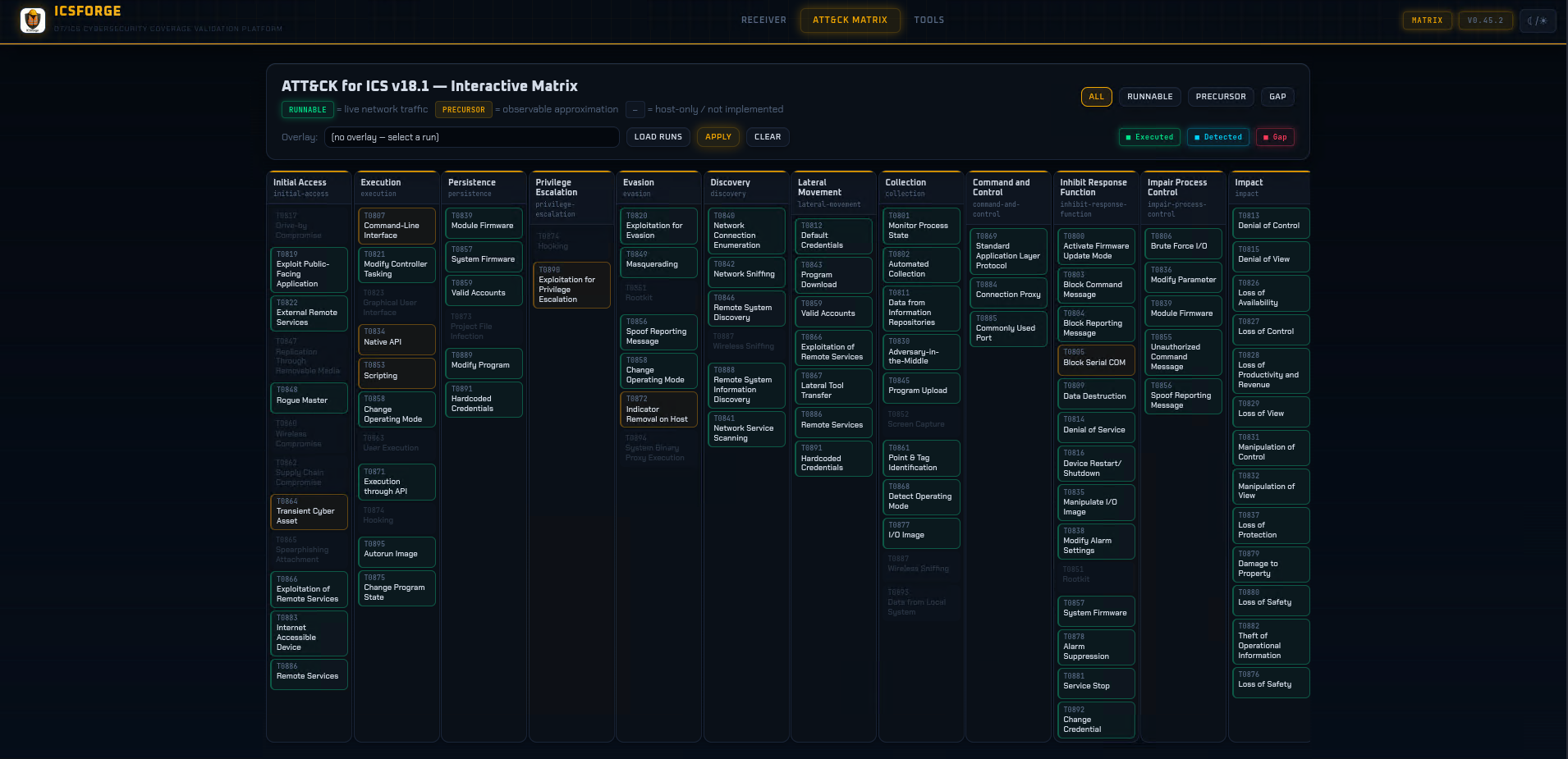
Receiver - ATT&CK for ICS Matrix - Dark Theme
License
GPLv3 - see LICENSE
ICSForge™ • OT/ICS Cybersecurity Coverage Validation Platform • icsforge.nl